Tryst Link Journal
QR code error correction, explained
How QR code error correction actually works, what L, M, Q and H mean, why damage can sometimes be recovered, and why logo size cannot be treated as a simple percentage budget.
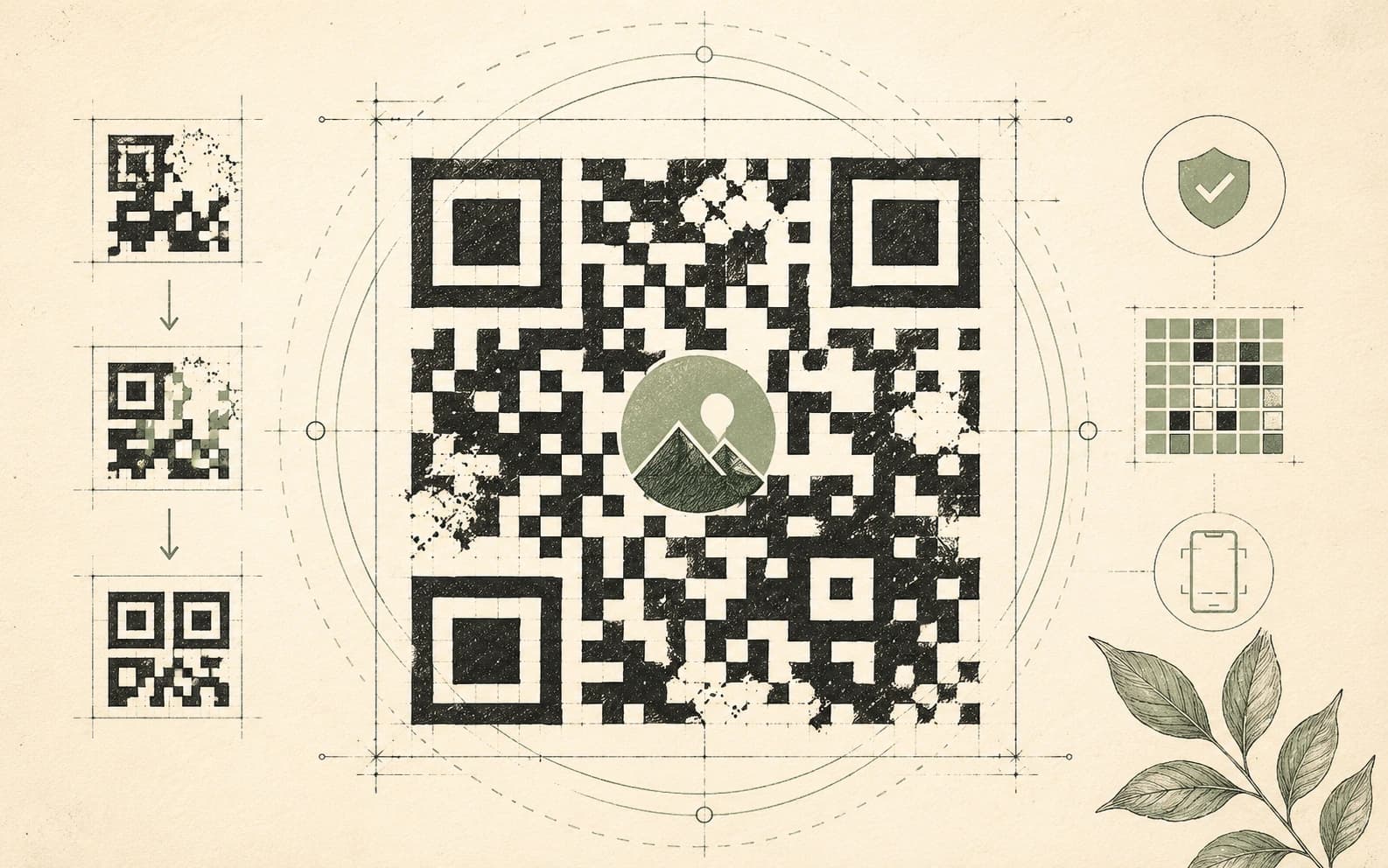
Hold a slightly damaged QR code up to a phone and it may still scan. A scratch, a stain, a missing patch of print, or even a carefully placed logo does not always destroy the message.
That resilience comes from error correction.
The important part is understanding what the familiar percentages actually mean. They are often explained as if Level H lets you cover 30% of the visible QR code and keep scanning. That shortcut is convenient, but technically misleading.
Aside
Correction, August 18, 2026: An earlier version of this article described the L, M, Q and H percentages as percentages of QR modules or visible area that could be damaged. It also treated a logo covering 18% of the code as consuming exactly 18 points of a 30% Level H "budget." That is not how the specification should be interpreted. DENSO WAVE describes the figures as approximate restoration rates for total codewords, not guaranteed physical-area tolerances. The logo calculation and other area-based claims have been removed.
What error correction is doing
A QR code is built from black and white modules, the small squares you can see.
The encoded information is organized internally into codewords. DENSO WAVE defines a QR codeword as an 8-bit unit used in the data area. QR error correction adds Reed-Solomon codewords derived from the original data so that a decoder can reconstruct information when some codewords are wrong or unreadable.
DENSO WAVE's own technical explanation states that the QR Code error-correction feature is implemented using Reed-Solomon Code. It is designed to correct errors at the byte level and is particularly useful when damage is concentrated.
That is the distinction to keep in mind throughout this article:
Modules are what you see. Codewords are part of how the encoded data and error correction are organized.
The familiar error-correction percentages describe restoration of codewords, not a guaranteed percentage of visible squares.
What L, M, Q and H actually mean
DENSO WAVE's QR Code specification overview gives these approximate restoration rates:
| Level | Approximate restoration capability |
|---|---|
| L | About 7% of total codewords |
| M | About 15% of total codewords |
| Q | About 25% of total codewords |
| H | About 30% of total codewords |
Source: DENSO WAVE QR Code Standardization.
The word approximate matters, and so does codewords.
Level H does not create a rectangular safe zone equal to 30% of the QR code. Level Q does not mean one quarter of the printed surface may be removed. A visible patch of damage can affect encoded information in ways that do not correspond neatly to its geometric area.
The position and shape of the damage matter. So do the QR version, the layout of function patterns, the distribution of data and error-correction codewords, image quality, contrast, distortion and the decoder being used.
That is why the percentages are useful for comparing the four levels but should not be treated as physical design tolerances.
Higher error correction does not simply mean "more squares"
Another common shortcut is to say that choosing a higher level automatically makes the QR code denser.
The more precise explanation is this:
For a fixed QR version, choosing a higher error-correction level leaves less capacity for payload data because more capacity is devoted to error correction. If the same payload no longer fits at that version, the encoder may have to select a higher QR version.
DENSO WAVE documents QR Code versions from Version 1 at 21 × 21 modules through Version 40 at 177 × 177 modules. Each step adds four modules per side, and the amount of data that fits depends on the character type and error-correction level. See DENSO WAVE's version and capacity guide.
So a higher correction setting can produce a larger, more detailed symbol for the same content, but that happens because the payload may require a higher version. The correction level itself is not a simple instruction to add a fixed number of visible squares.
Why damaged QR codes can still scan
A decoder does not need every encoded codeword to arrive perfectly.
Reed-Solomon error correction gives it redundancy that can be used to correct a certain amount of missing or incorrect information. DENSO WAVE gives a useful Level Q example: when 200 total codewords are involved, 50 codewords can be corrected, corresponding to a 25% restoration rate across the total codewords.
That does not mean every imaginable loss affecting one quarter of a printed symbol will decode. It demonstrates the coding relationship, not a geometric promise.
Physical reading adds another layer. Before error correction can help, the scanner still has to detect and interpret the QR symbol well enough to extract its encoded information.
QR Code uses position-detection patterns at three corners so a reader can locate and orient the symbol. Model 2 QR Codes also use alignment patterns to help with distortion. DENSO WAVE explains these functions in its documentation on position detection and QR Code Model 2.
If critical function patterns are badly obscured, a code can become difficult or impossible to read even when the visually damaged area appears small.
The logo question
A logo placed over a QR code deliberately hides modules. Error correction is one reason a customized code may continue to decode, but the safe amount of logo coverage cannot be calculated by subtracting logo area from the L, M, Q or H percentage.
This calculation is wrong:
Level H gives 30%. A logo covers 18%. Therefore 12% remains for damage.
The two percentages describe different things.
The 30% figure is an approximate restoration rate for codewords. The 18% figure is a geometric measurement of visible area. They are not interchangeable units.
A centered logo can be a practical choice because it can avoid the three large corner position-detection patterns, but the center of every QR code is not an empty or universally safe region. Depending on the QR version and layout, other functional structures and encoded codewords can still be affected.
So treat logo design as an engineering and testing problem, not an arithmetic one.
Practical logo guidance
If you add a logo:
- Start with a higher error-correction level, commonly H, when the extra recovery capacity is worth the reduced payload capacity.
- Keep the logo conservative rather than designing right up to a supposed percentage limit.
- Never cover the three corner position-detection patterns.
- Preserve the required quiet zone around the outside of the symbol.
- Maintain strong contrast between foreground and background.
- Generate the final QR code at the actual payload length you will use.
- Test the exact exported image or printed sample, not just a preview inside the generator.
- Test more than one phone and more than one scanning app or camera implementation where possible.
- Test at the intended distance, angle and lighting.
- If the code will be printed, test the real material, finish and print process.
A QR code that scans once on the designer's phone is not proof that it is robust enough for production.
How to choose an error-correction level
There is no universal rule such as "screens use M, paper uses Q, packaging uses H."
DENSO WAVE recommends considering the operating environment and QR Code size. Its documentation notes that Q or H may be appropriate in environments where a code is likely to become dirty, while L can make sense in clean environments where data capacity is important. It also says Level M is the most frequently selected level.
That leads to a better practical framework.
Level L
Consider L when the code will remain clean and controlled and preserving payload capacity or keeping the version small matters.
It provides the least error-correction capability of the four standard levels, so it gives you less margin for damage or poor reproduction.
Level M
M is a sensible starting point for many ordinary QR codes.
DENSO WAVE identifies M as the most frequently selected level. If the code will be displayed or printed clearly, with good contrast and little chance of physical damage, M may provide enough resilience without giving up as much data capacity as Q or H.
Level Q
Q adds more recovery capability and may be useful where dirt, scratches, wear or imperfect printing are reasonably likely.
It also reduces the data capacity available at a given version, so check the resulting symbol size and module count.
Level H
H provides the highest of the four standard QR Code restoration levels.
It is a reasonable starting point for designs with deliberate obstruction such as a logo, or for environments where damage risk is high. It still does not guarantee that any particular logo size, stain or missing patch will be recoverable.
Aside
Better rule: choose the lowest correction level that gives adequate reliability for the real environment, then test the finished code. Higher is not automatically better if it forces the symbol to become too dense for the available print size or scanning distance.
Physical size still matters
Error correction cannot compensate for every reproduction problem.
A QR code may fail because modules are printed too small, edges blur together, contrast is weak, glare obscures the pattern, the code is distorted, or the required clear margin is missing.
DENSO WAVE specifies a four-module-wide quiet zone around a standard QR Code. Nothing should be printed in that margin. See DENSO WAVE's code-area guidance.
The physical size required for a QR code therefore depends on more than its overall width in millimetres. What matters is whether each module can be reproduced and captured clearly enough by the intended scanner, with the quiet zone intact.
This is another reason not to publish universal claims such as "a 30-character URL at H needs 25 mm." The required size depends on the QR version, output resolution, printing process, scanner, viewing distance and other conditions.
Shorter payloads can still help. Less data can allow a lower version, which means fewer modules per side and therefore larger physical modules when printed at the same overall dimensions.
What the scanner has to recover
A QR reader broadly needs to:
- locate the QR symbol and determine its orientation;
- compensate for perspective or distortion using the symbol's structural patterns;
- interpret format and layout information;
- extract the encoded codewords;
- reverse the masking and encoding steps required to obtain the codeword stream;
- use Reed-Solomon error correction to correct recoverable errors;
- decode the resulting payload into the original text, URL or other data.
Implementations can differ, and the full reference decoding algorithm belongs in the QR specification rather than in a simplified blog checklist.
The important practical point is that error correction is only one stage of successful scanning. A code can contain enough redundancy and still be unreadable if the camera cannot reliably locate or sample the symbol in the first place.
The current QR Code specification
The previous version of this article referred readers to ISO/IEC 18004:2015.
That edition has been superseded.
The current published international standard is ISO/IEC 18004:2024, Edition 4, published in August 2024. ISO describes it as specifying QR Code characteristics, encoding methods, symbol formats, dimensional characteristics, error-correction rules, a reference decoding algorithm, production quality requirements and user-selectable application parameters.
See the official ISO/IEC 18004:2024 record.
A better way to design for reliability
Error correction is useful because real QR codes are used in imperfect conditions. But the L, M, Q and H values should be treated as coding parameters, not as permission to remove matching percentages of the image.
If reliability matters:
- keep the payload reasonably short;
- choose an error-correction level appropriate to the expected environment;
- preserve position-detection patterns and the quiet zone;
- use strong contrast and adequate physical module size;
- treat logos and decorative changes conservatively;
- test the final asset across several devices;
- test again after printing, resizing, laminating or placing the code in its real environment.
The error-correction level gives a QR code resilience. Testing tells you whether your particular QR code actually has enough.
Sources
- DENSO WAVE: Error Correction Feature
- DENSO WAVE: QR Code Standardization
- DENSO WAVE: Information Capacity and Versions of QR Code
- DENSO WAVE: QR Code Model 1 and Model 2
- DENSO WAVE: Point for Determining the Code Area
- ISO: ISO/IEC 18004:2024
Further reading
For the other half of the link-creation workflow, read How URL shorteners actually work. You can also use the Tryst Link QR generator to compare L, M, Q and H with the same payload and see when a higher correction level causes the encoder to select a larger symbol.
Questions, answered
Frequently asked
- What do QR code error correction levels L, M, Q and H mean?
- They describe increasing amounts of error-correction capability. DENSO WAVE lists the approximate restoration rates as 7% of total codewords for L, 15% for M, 25% for Q and 30% for H. These percentages refer to codewords, not a guaranteed percentage of visible modules or physical area.
- Can a QR code lose 30% of its area at level H and still scan?
- Not as a general rule. Level H is commonly described as restoring about 30% of total codewords, but physical damage does not map one-to-one to that number. Where the damage falls, how codewords are distributed, whether function patterns are affected, symbol version, print quality and decoder performance all matter.
- Can I put a logo in the middle of a QR code?
- Often, but there is no universal safe logo percentage guaranteed by the QR standard. A higher error correction level such as H can provide more recovery capacity, but the logo can still interfere with important patterns or too many codewords. Keep the logo conservative and test the finished code on multiple devices and under the conditions in which it will actually be used.